Atajos de Setup
Object Manager, Change Sets de salida y entrada, Metadata Types, Profiles, Permission Sets, Users, Public Groups, Territory Models, Flows y Custom Labels.
Salesforce · Setup y compartición Salesforce · Setup and sharing
Setup en un clic y un inspector que responde lo que Lightning no cuenta: quién ve un registro, por qué y con qué permisos.
Setup in one click and an inspector that answers what Lightning does not: who sees a record, why and with which permissions.
La barra vive en el header de Lightning y lleva a las páginas de Setup que un administrador abre todo el día. Al lado, el inspector abre una pestaña propia con el acceso efectivo a cualquier registro.
Object Manager, Change Sets de salida y entrada, Metadata Types, Profiles, Permission Sets, Users, Public Groups, Territory Models, Flows y Custom Labels.
Pega un ID de 15 o 18 caracteres, o Objeto/ID, y abre el registro sin navegar por menús.
Propietario, jerarquía de roles, grupos —con anidados resueltos—, territorios, colas y equipos.
Motivo por entrada, OWD del objeto, permisos de sistema y de objeto, View All y Modify All.
Permisos de campo del usuario consultado, reglas de compartición y reglas de territorio que aplican.
Por qué un usuario no ve un registro, dos usuarios lado a lado y búsqueda de otros registros del mismo objeto.
También exporta el informe en Markdown, JSON y CSV, guarda registros recientes, filtra entradas y tiene atajos / y r.
The bar lives in the Lightning header and links to the Setup pages an admin opens all day. Next to it, the inspector opens its own tab with the effective access to any record.
Object Manager, outbound and inbound Change Sets, Metadata Types, Profiles, Permission Sets, Users, Public Groups, Territory Models, Flows and Custom Labels.
Paste a 15- or 18-character ID, or Object/ID, and open the record without navigating menus.
Owner, role hierarchy, groups —with nested groups expanded—, territories, queues and teams.
Reason per entry, object OWD, system and object permissions, View All and Modify All.
The selected user's field permissions, plus the sharing and territory rules that apply.
Why a user cannot see a record, two users side by side, and a search for other records of the same object.
It also exports the report as Markdown, JSON and CSV, keeps recent records, filters entries and supports / and r shortcuts.
El informe de compartición con datos de ejemplo, en una ventana de 1280×800.
The sharing report with sample data, in a 1280×800 window.
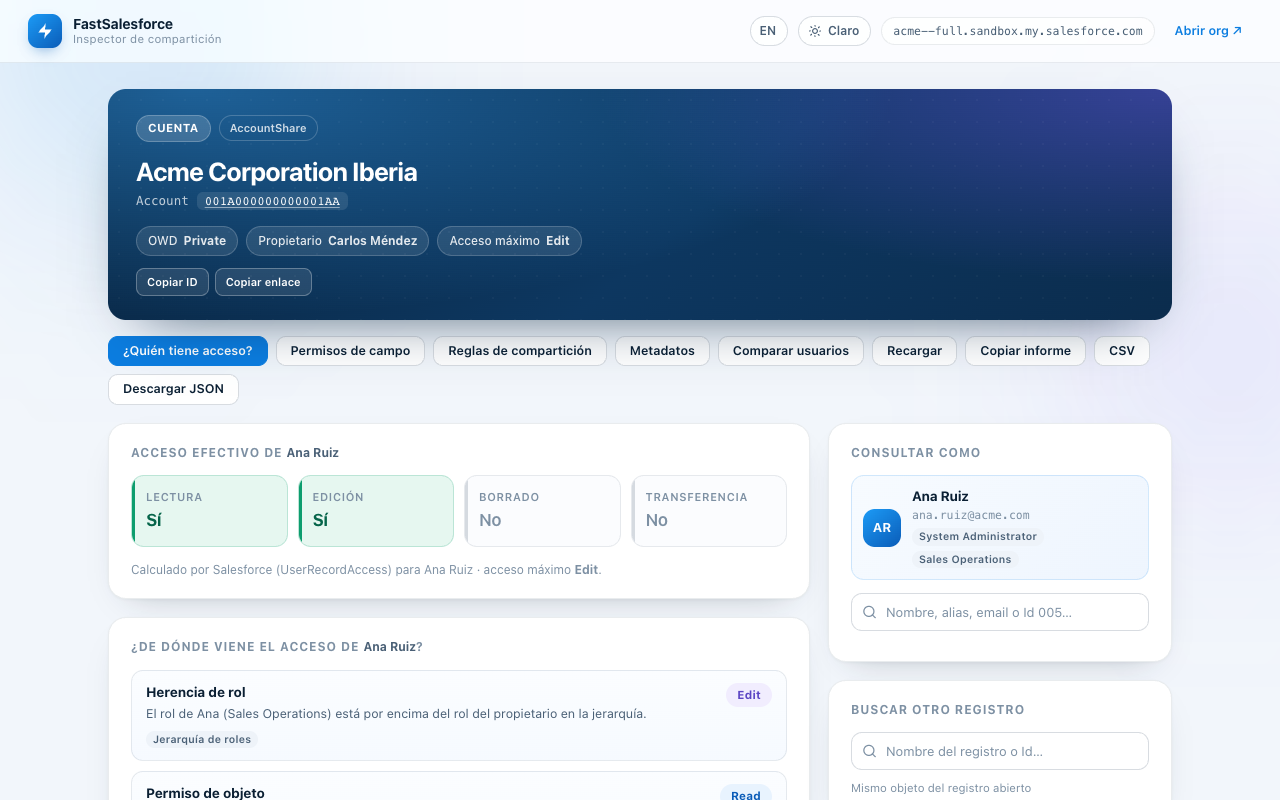
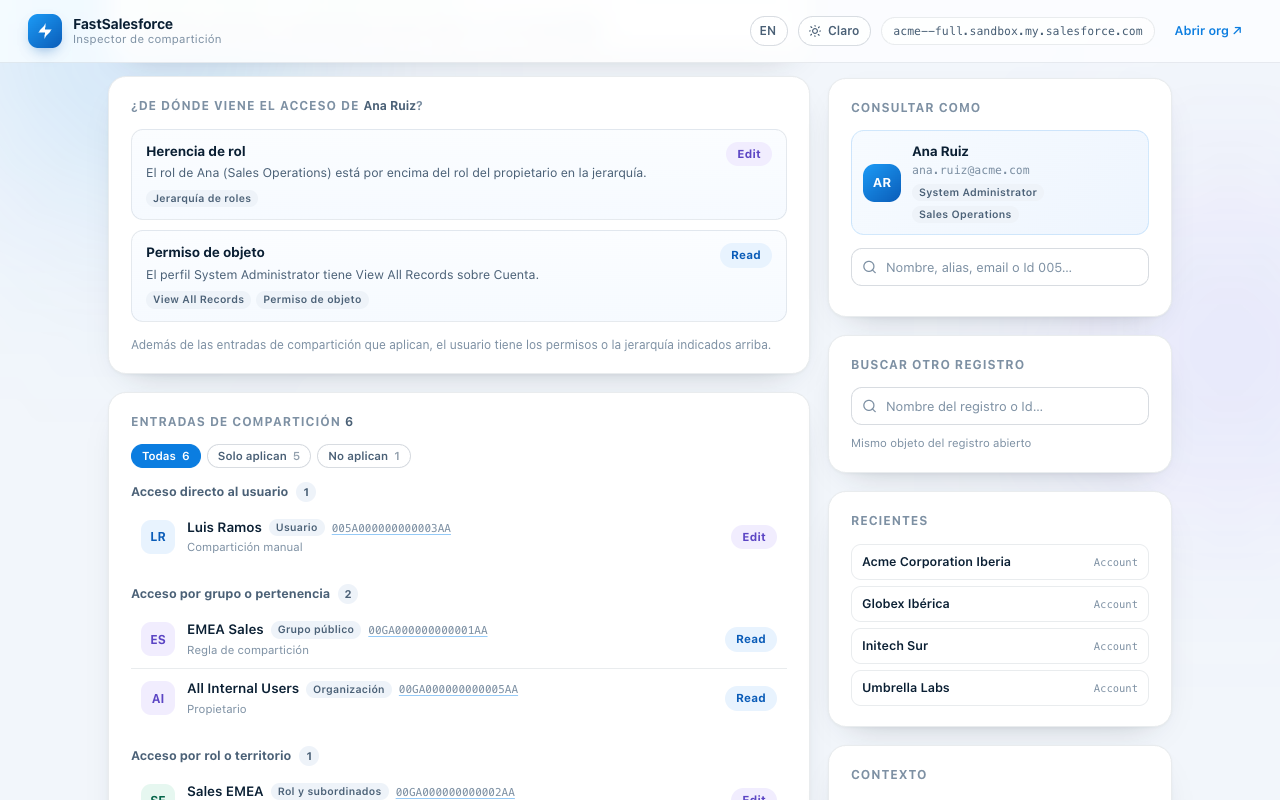
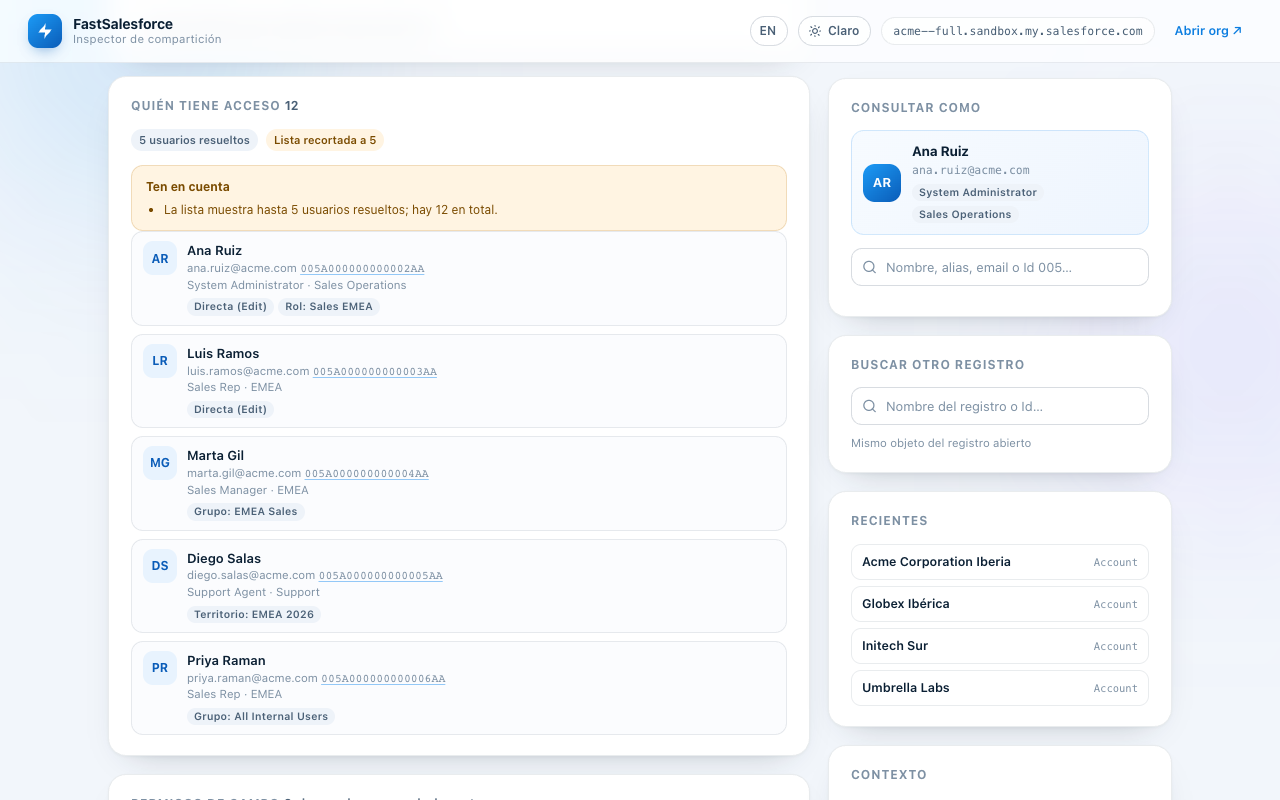
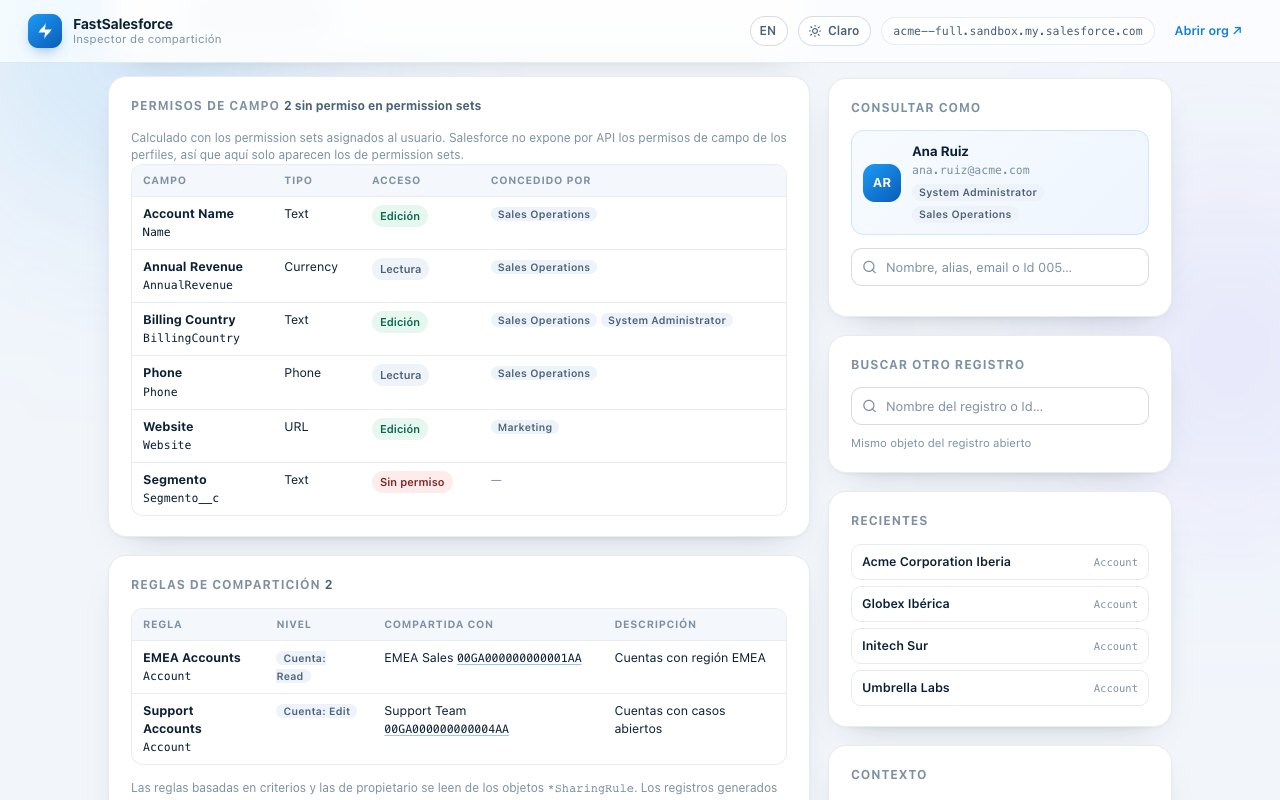
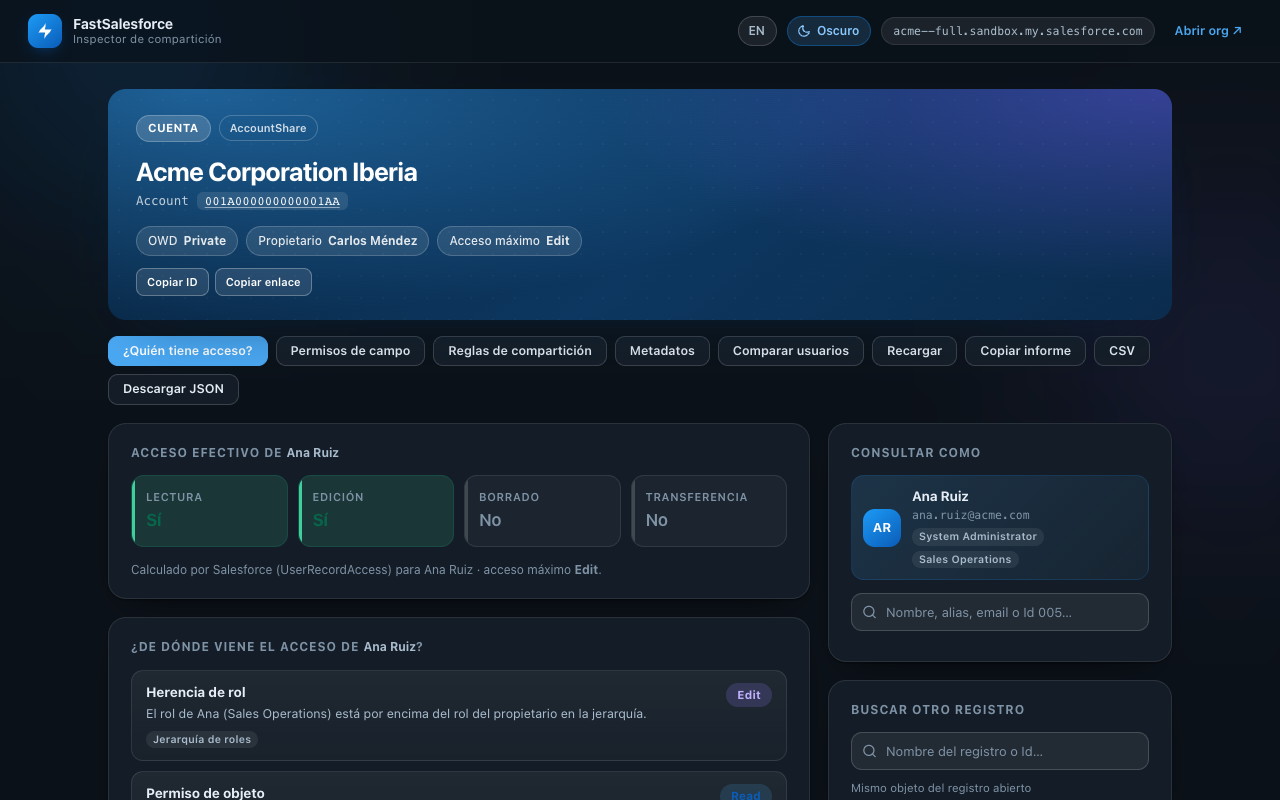
Los content scripts añaden la barra al header de Lightning. El inspector usa la sesión abierta para consultar la API REST y Tooling de esa misma org: describe, OWD, roles, grupos, territorios, reglas y permisos. Todo se calcula en la pestaña; no hay backend ni OAuth y no se escribe nada en Salesforce.
Content scripts add the bar to the Lightning header. The inspector uses the open session to query that org's REST and Tooling APIs: describe, OWD, roles, groups, territories, rules and permissions. Everything is computed in the tab; there is no backend or OAuth and nothing is written to Salesforce.
Necesita API Enabled y ver el registro. Los grupos anidados se resuelven para el informe; las reglas de compartición y territorios se leen, no se modifican.
Requires API Enabled and permission to view the record. Nested groups are expanded for the report; sharing and territory rules are read, never modified.